claudeusage
A native iOS and Mac app that puts your Claude 5-hour, weekly, and per-model limits on your home screen or desktop, as configurable widgets in three sizes.


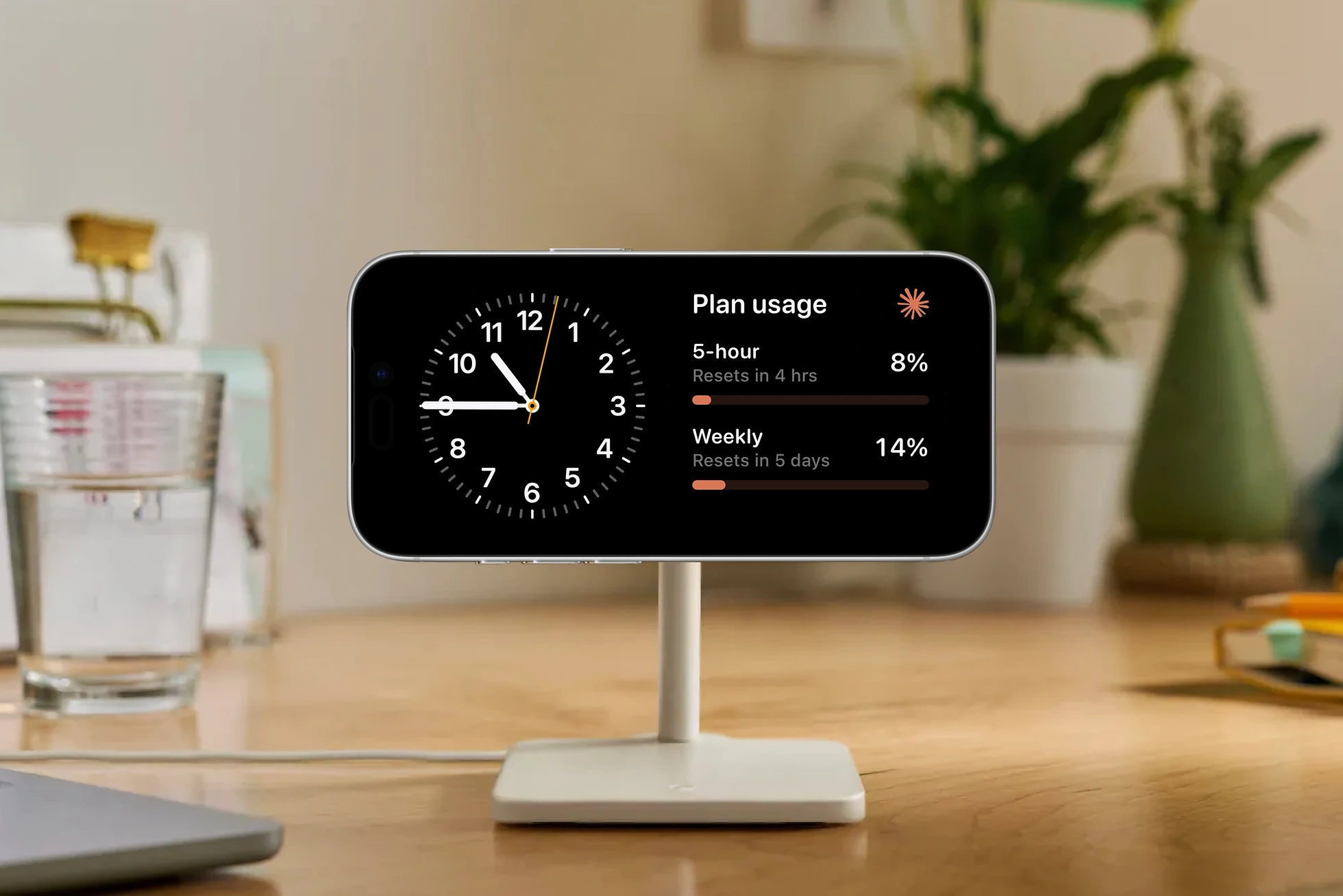
In landscape StandBy mode on a MagSafe stand, the Plan usage widget sits alongside the iOS clock widget for an at-a-glance check of the 5-hour and weekly limits.
The compact Plan usage widget showing 5-hour and weekly limits at a glance, beside the gallery sheet for the configurable Ring.
I rarely hit Claude's 5-hour usage cap, but it lingers in the back of my mind, especially deep in a coding session where the only way to check is /usage. The Claude desktop app puts a small circle in the corner; the terminal has nothing equivalent.
claudeusage pins those limits to the home screen or desktop. Sign in once, then add a small, medium, or large widget for the 5-hour bucket, the weekly cap, a per-model breakdown, or several at once. The Ring tracks one limit at a time. Switching between them is only ever a long-press away.
I built this natively in Swift over the course of morning in the background while I was working on a few other projects. I architected the app to use a centralized ClaudeCore package that the iOS and Mac apps, as well as the widget extension, all draw from. WidgetKit handles the surface from there. The fetch path uses Claude.ai's private session APIs, which is also why the repo is private for now.